
Description
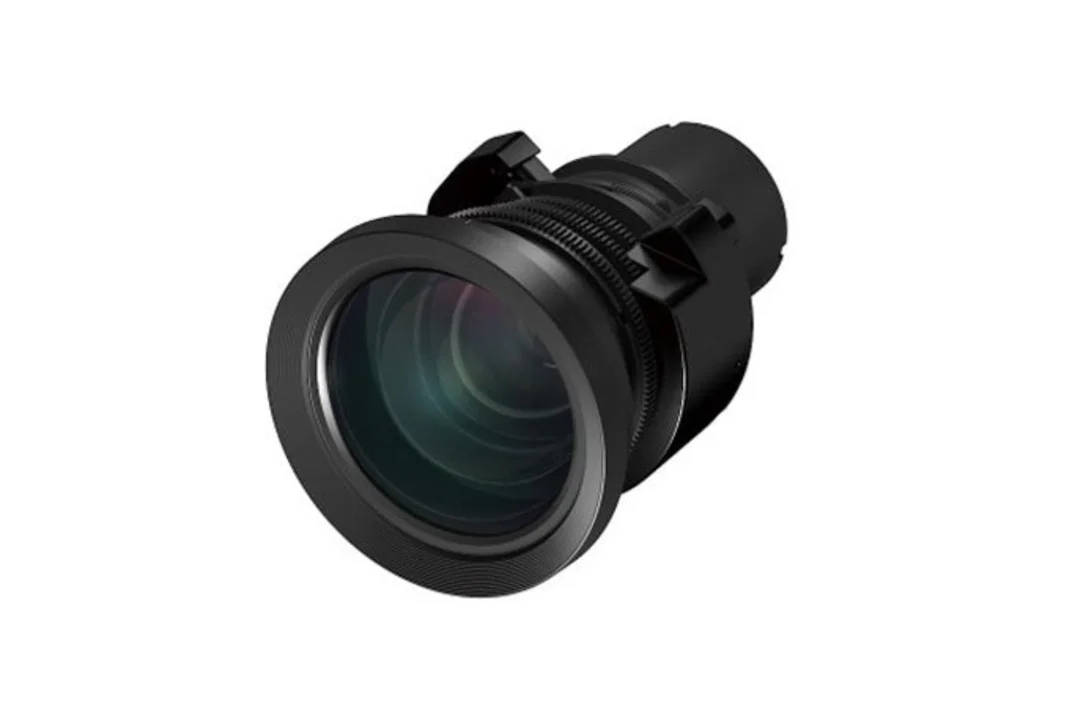
Epson ELPLU03 Short Throw #1 Zoom Lens – V12H004U03
The Epson ELPLU03 Short-Throw Lens is an interchangeable lens that works with PowerLite Pro G7 series and Pro LSeries series projectors (excludes Pro L25000 projector). Below are the throw ratios:
Zoom Ratio: 1.0 – 1.2x
Throw Ratio (4.3): 0.89 – 1.08
Throw Ratio (16:10):
0.65 – 0.78
Throw Ratio (16:10): 0.48 – 0.57
*]:pointer-events-auto [content-visibility:auto] supports-[content-visibility:auto]:[contain-intrinsic-size:auto_100lvh] scroll-mt-[calc(var(–header-height)+min(200px,max(70px,20svh)))]“ dir=“auto“ data-turn-id=“32d57c9e-918a-4b9e-9ba1-72d204c14825″ data-testid=“conversation-turn-18″ data-scroll-anchor=“true“ data-turn=“assistant“>
What Our Experts Think
-
Optimized short-throw performance: Delivers large, bright images from a minimal distance, perfect for meeting rooms, classrooms, and professional installations.
-
Flexible installation: Compatible with Epson PowerLite Pro G7 and Pro L-Series projectors (excluding Pro L25000), enabling tailored projection setups.
-
Reliable optical quality: Zoom lens maintains sharpness and color accuracy across the entire image.
-
Professional versatility: Ideal for environments requiring controlled throw distance and adjustable image sizing.
Q&A
Q: Which projectors are compatible with the ELPLU03 lens?
A: Works with Epson PowerLite Pro G7 series and Pro L-Series projectors, excluding the Pro L25000 model.
Q: Is this lens short-throw?
A: Yes—it’s designed specifically to project large images from short distances.
Q: Does it support zoom?
A: Yes, it features a built-in zoom to adjust image size without moving the projector.
Q: Can it maintain image quality at different zoom levels?
A: Yes—the lens preserves clarity, sharpness, and color accuracy throughout its zoom range.
Maintenance Tips
-
Clean lens surfaces with a microfiber cloth to avoid scratches.
-
Use lens caps when not in use to protect optics from dust and impact.
-
Avoid extreme temperatures and humidity to maintain lens performance.
-
Check projector alignment regularly for optimal image geometry.
-
Inspect lens for dust or smudges before long presentations.



Reviews
There are no reviews yet.