
Description
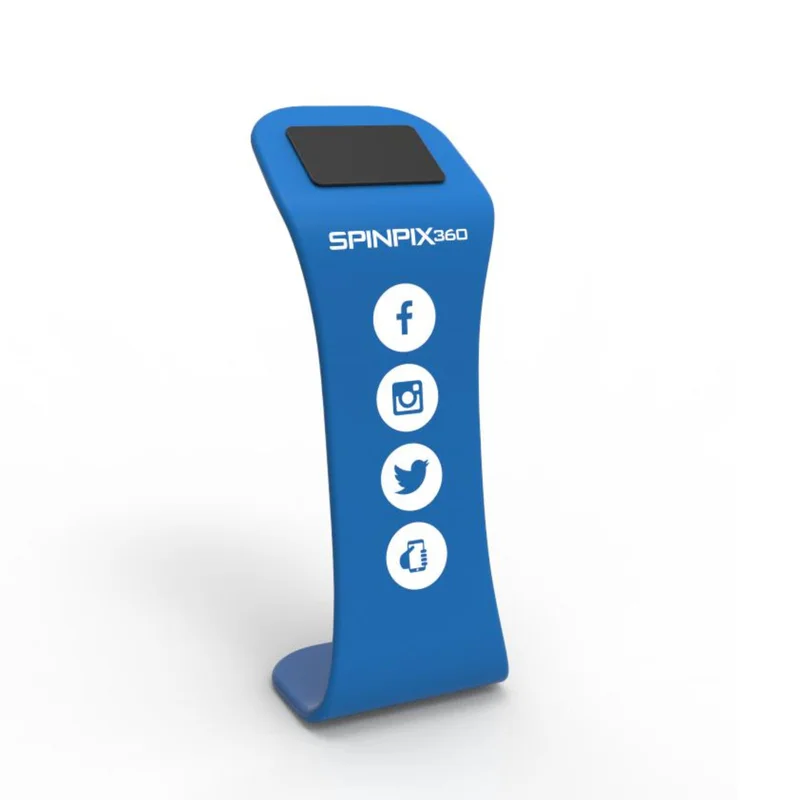
SpinPix360 iPad Sharing Station For 360 Photo Booth With Custom Logo Print
Features
- Custom logo and color background printed on stretch fabric
- Lightweight aluminum frame
- Easy assembly and disassembly
- iPad holder
- 40″ H x 18″ W
- 18 inch width
- Weight: 11 lbs
Video
What Our Experts Think
- Perfect for 360 Photo Booths – Designed to seamlessly share photos and videos at events.
- Custom Branding – Features your logo for a professional, branded experience.
- Stable & Secure – Holds iPads firmly for smooth interaction and sharing.
- User-Friendly Design – Quick setup and easy access for guests to view and share content.
- Durable & Portable – Built with high-quality materials for event use and transport.
Q&A
Q: What is the SpinPix360 iPad Sharing Station?
A: It’s a sleek, branded stand designed to allow guests to instantly view and share their 360 photo booth videos on an iPad.
Q: Can I customize the stand with my logo?
A: Yes, the stand includes a custom logo print option to enhance branding at events.
Q: What size iPads does this stand support?
A: It is designed to securely hold standard iPad sizes commonly used for sharing stations, typically from 9.7” to 12.9”.
Q: Is it easy to set up and transport?
A: Yes, it features a lightweight, durable design for quick assembly and portability.
Q: Does it require a power source?
A: The stand itself does not require power, but the iPad will need to be charged or connected for continuous use.
Q: What types of events is this best suited for?
A: It’s ideal for weddings, corporate events, trade shows, and any gathering using a 360 photo booth experience.
Maintenance Tips
- Keep It Clean: Wipe the station with a microfiber cloth to remove dust and fingerprints. Avoid abrasive cleaners that may damage the custom logo print.
- Check Connections: Regularly inspect charging cables and ports to ensure a secure and functional connection for smooth sharing.
- Secure Setup: Tighten screws and fasteners periodically to maintain stability and prevent wobbling.
- Protect the Screen: Use a screen protector on the iPad to prevent scratches and smudges. Clean with a soft cloth as needed.
- Organized Cables: Manage and secure cables to prevent tangling or damage, ensuring a neat and professional look.
- Proper Storage: Store in a cool, dry place when not in use. Use a cover or protective case to prevent dust accumulation.
- Safe Transport: If frequently moved, handle with care to avoid dents or scratches. Use padding for extra protection.



Reviews
There are no reviews yet.